Estructuras 3D
One 3D engine, one sector per industry. Sheds, prefab houses and horse stables that rebuild in the browser as you move the sliders — for a client to see what they’re buying before signing.
This isn’t a video
It’s the engine rendering live in your browser, in the same vertical format I use for reels. An industrial shed assembles itself piece by piece, then cycles through walls, roofs and colors, opens its gate, strips down to the bare structure and goes from sunset to night with the lights on.
- It only loads when you press play
- Loops on its own
- To play with every parameter, open the full configurator
Same engine, three products
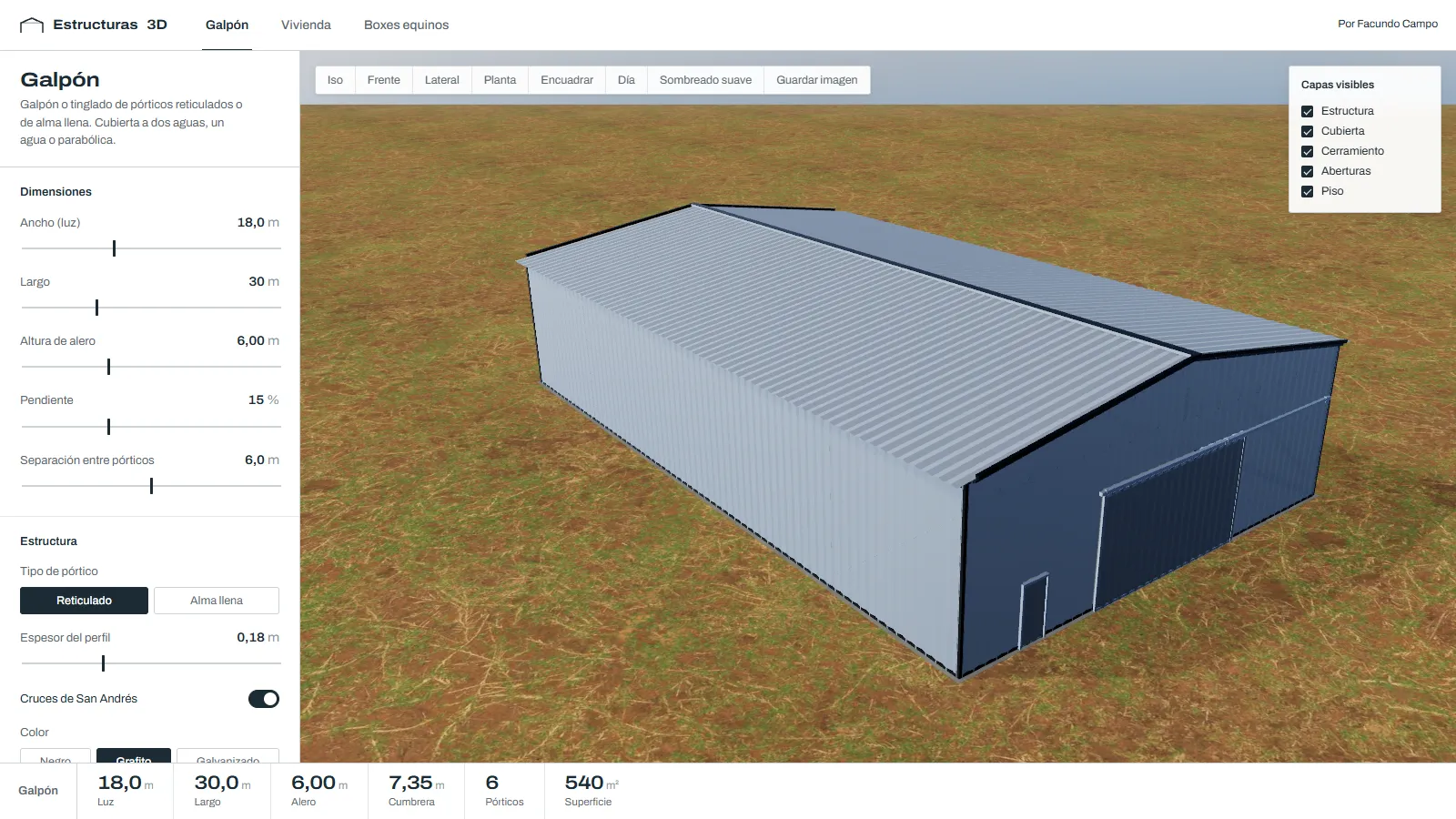
Sheds and warehouses
Lattice or solid-web portal frames, gable, mono-pitch or arched roofs, cladding, gates and lights. Stretch the length and the frames add themselves.
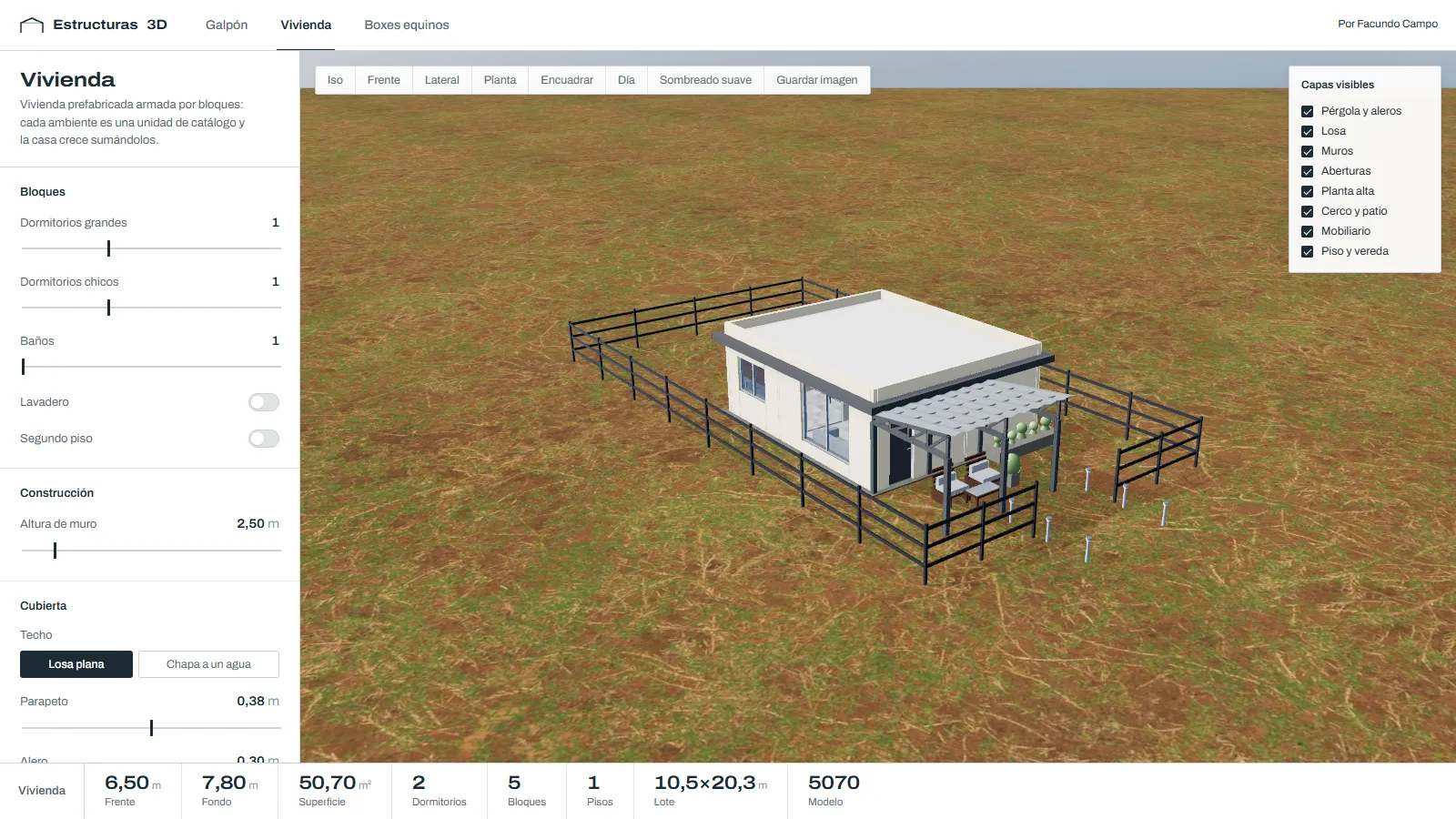
Prefab house
The house is built by adding catalog blocks: bedrooms, bathrooms, kitchen and living room. Second floor with stairs, cladding, porch, pool and fence.
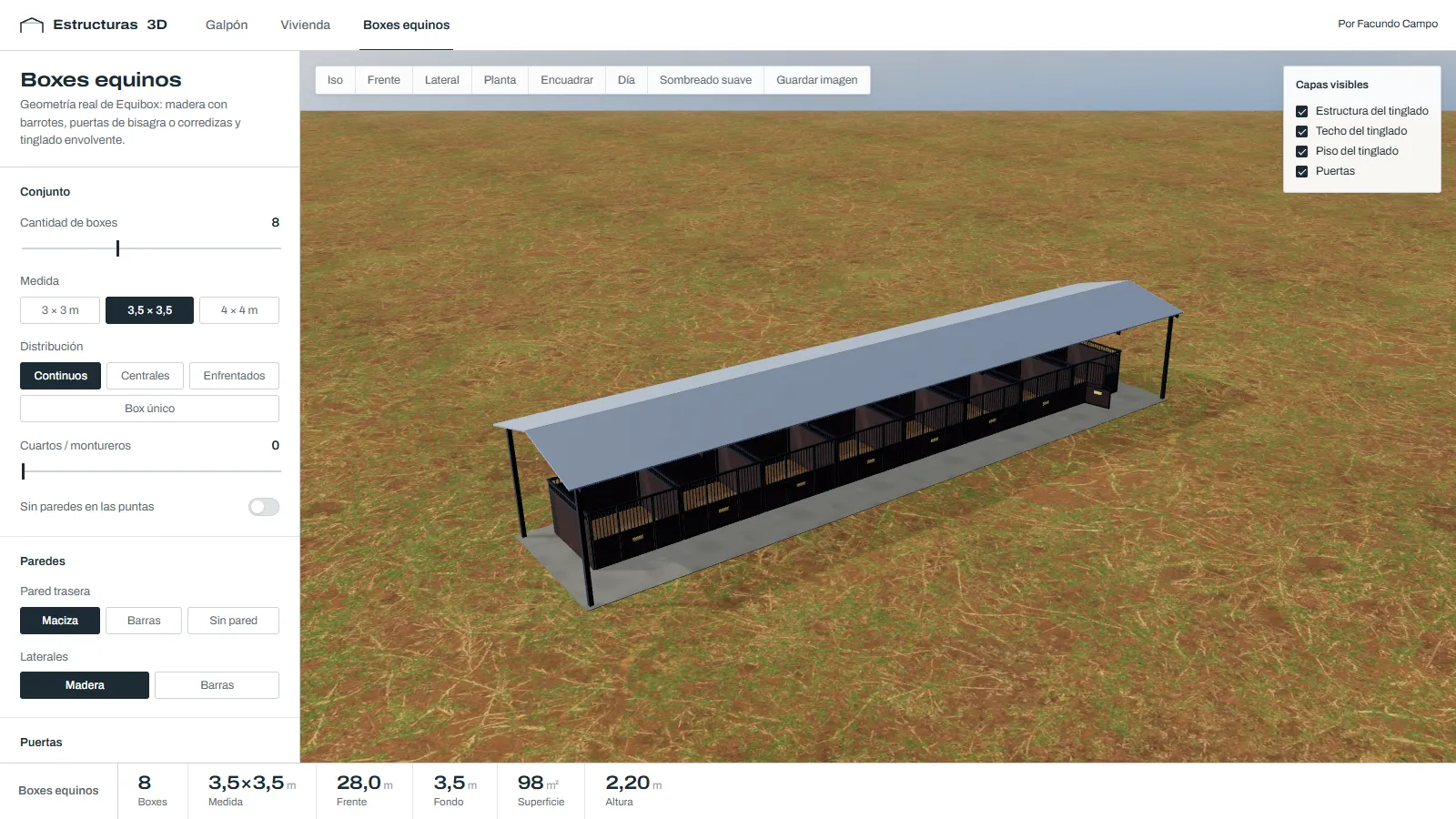
Horse stables
The real EQUIBOX geometry, where the engine was born: sizes, layout, hinged or sliding doors and a surrounding shed.
See the EQUIBOX case →The alternative is ordering a render from a studio for every variant — it takes days and is billed per piece. Here the client sees three variants in the same meeting, and one more bedroom is one more line, not a recalculation.
The hard parts, solved
A new industry = one file and one line
Each sector only returns geometry and never touches the scene. The control panel is generated from a declarative list of parameters (ranges, options, colors, toggles), so adding a new company’s product doesn’t mean touching the UI.
Nothing is modeled by hand
Every part is computed from the dimensions: lattice trusses, cross bracing, curved corrugated sheet over an arched roof, purlins, openings, and a house laid out on a module grid with the stairwell cut out of the slab.
Verified without opening a browser
A set of scripts builds every sector at defaults, at minimum, at maximum and with every option, checking for invalid vertices, parts without a layer, scale, triangle budget, overlapping furniture and door swing clearance. It caught real bugs before they reached the screen.
Lighting that doesn’t lie
Ambient occlusion (GTAO) was brightening the image instead of darkening it: values were escaping the half-float buffer. Fixed by clamping them in the blend shader, with antialiasing inside the composer and day and night modes with lights.
Built for phones
The scene only redraws when something changes, resolution is capped, soft shading can be turned off on weak GPUs, and the custom camera handles multi-finger pinch.
Videos generated from code
A deterministic scene director animates the build piece by piece, and a Playwright + ffmpeg recorder captures it frame by frame. The reels come out identical every time, without screen recording.
No models, all code
3D
- Three.js
- Geometría procedural
- Cámara orbital propia
Render
- Materiales PBR + HDRI
- GTAO (oclusión ambiental)
- MSAA + modo noche
Frontend
- React 18
- Vite 6
- UI generada desde parámetros
Verification
- Scripts headless en Node
- Canvas sin navegador
Video
- Director de escena propio
- Playwright + ffmpeg
Deploy
- Vercel
- Build en un solo HTML (opcional)
Your product can be built like this too
Sheds, modular homes, furniture, stables: if it’s made to measure, it can be configured in 3D. Tell me what you manufacture.