From a printed menu to its own admin panel: the Boca de Lobo grill restaurant case
An Argentine grill restaurant with two locations, more than 250 items and prices that kept changing. I explain how we went from a printed menu to a digital menu with its own admin panel, what the hardest part was and what could be useful for your business.
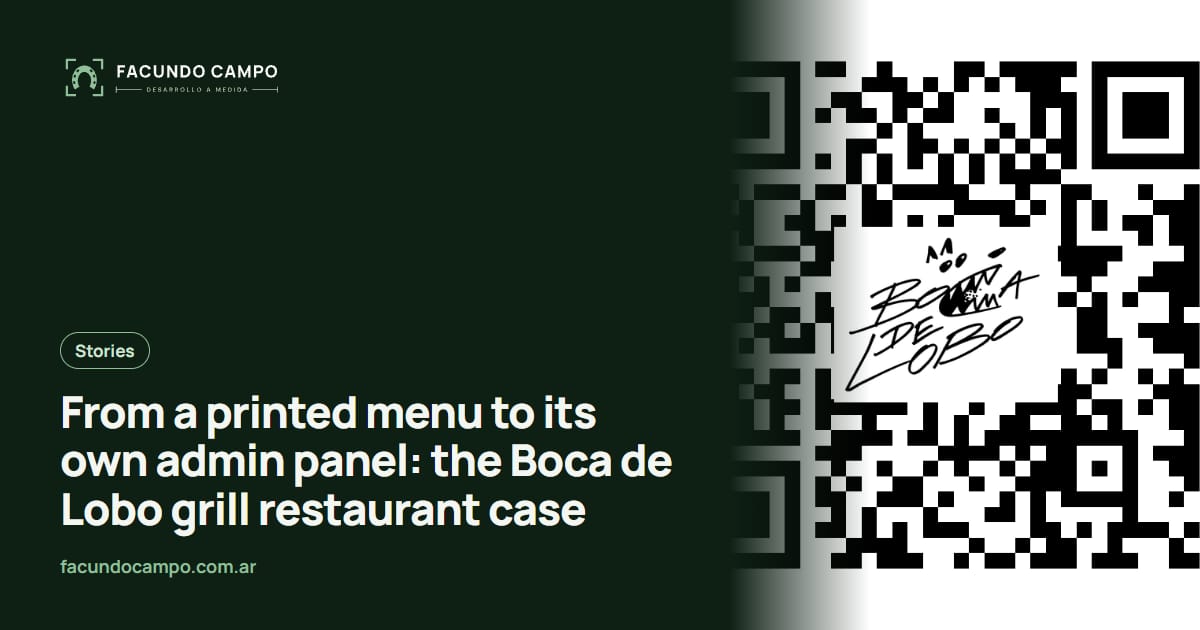
Boca de Lobo is a parrilla (an Argentine steakhouse, or grill restaurant) with locations in Floresta and Caballito, two Buenos Aires neighborhoods. It went from a printed menu to a digital menu of more than 250 items that the business manages on its own: it changes prices in bulk, publishes promotions with photos or videos and chooses what is featured on the home page, all from its own panel and without depending on the developer.
I'm Facundo Campo, I built the project end to end, and here I explain how we approached it, what it includes, what the hardest part was, and what could help any restaurant in the same situation.
What was the problem?
The business relied on a printed menu. Updating a price or adding a dish meant reprinting, and with Argentina's ongoing inflation, prices changed all the time. Customers had no way to see the full menu before arriving either. And with more than 250 items spread across two locations, there was no quick way to manage them.
It was not a design problem or a matter of "having an online presence". It was an operations problem: every change to the menu cost time and money, so changes kept getting postponed.
What did we build?
A single product with three fronts. For customers, a digital menu accessible by QR code from the table and a website with all the restaurant's information. For the business, a custom admin panel. And behind the scenes, a dedicated server set up to run in production every day.
The focus was always on autonomy: the business had to be able to do on its own everything it needs to change often. If every price increase or every promotion depends on someone editing the website, the menu will fall behind.
What does the customer see?
- The full menu: more than 250 items organized in categories and subcategories, with icons for vegan, gluten-free or spicy.
- A QR code with the logo built in, generated in several resolutions to print at different sizes.
- Promotions with an image or video, with an optional price, and highlights on the home page.
- Everything by location: WhatsApp bookings with the location already selected, delivery phone, "Get directions" with Google Maps, Google reviews and links to PedidosYa and Rappi (the main food delivery apps in Argentina).
- Its own look: a dark background, fire-orange accents and typefaces with the feel of a vintage menu stamp, far from the generic digital menu. The home page reads "Hoy cocinamos más rico que ayer" ("Today we cook tastier than yesterday").
What does the business manage from its panel?
- Items, categories, subcategories and promotions: create, edit and delete without touching code.
- Bulk price editing: every price on one screen and a single save.
- The table service charge, editable like any other setting.
- Users and general settings, with protected passwords and different permissions.
- A dashboard with a menu summary, to see the state of the menu at a glance.
Why was the price editor the key piece?
Because it solved the original problem. With more than 250 items, changing prices one by one in any panel is a lost afternoon. The bulk editor shows every price together, highlights the ones you changed, shows the previous price next to them, warns you if you try to close the tab without saving, and saves everything in a single operation: either everything updates or nothing is touched.
That last part matters more than it seems. If the connection drops halfway through, the menu is not left with half new prices and half old ones. I explained how it works and when it is worth it in how to update menu prices without depending on anyone.
What was the hardest part?
Two things the customer never sees, and that is how it should be.
The first was reorganizing how subcategories were stored while the menu was already live, with more than 250 active items. It had to change without the menu going down for even a minute. I did it in stages, each one published on its own and with the option to roll back at any point. The menu never went down.
The second was moving the domain settings to add email inboxes on the restaurant's own domain, with the site live. The outage was brief and it was fixed the same day.
What runs behind it so it works every day?
A digital menu is a work tool: if it is down on a Saturday night, that is a real problem. That is why the website runs on its own server, with the security padlock always active and automatic backups of the menu and the images. The photos the business uploads are automatically made lighter, so the menu loads fast on mobile data.
I also set up email inboxes on the restaurant's own domain, configured so emails do not end up in spam, and the groundwork for Google: so it understands every page, shows a nice preview when the link is shared and lets the business see how many people visit. I cover that in local SEO for restaurants.
What changed for the business?
| Before | Now | |
|---|---|---|
| Changing a price | Reprinting the menu. | Changing it in the panel; with the bulk editor, all at once. |
| Seeing the menu before going | There was no way. | The full menu online and by QR code from the table. |
| Promotions | No fixed place on the website. | Their own section, with a photo or video, that the business adds on its own. |
| Two locations | No quick way to manage the items. | One menu managed from a panel, and each location with its own WhatsApp, map, reviews and delivery. |
| Who makes the changes | It depended on third parties. | The business, without depending on the developer. |
See the full project
The project page has screenshots of the website, the menu on a phone, the QR code and the admin panel (with test data), plus how it all works.
See the Boca de Lobo caseWhat can your restaurant take from this case?
That before thinking about design, it is worth asking what you will need to change often and who will change it. If it is prices, it has to be easy and safe. If it is promotions, they need a fixed place on the website, as I explain in how to show promotions and featured dishes. If you have more than one location, each one needs its own details, as I explain in a website for a restaurant with multiple locations.
Not every restaurant needs a custom system: with a short menu, a simpler website is enough. The options and what defines the cost of each are in QR digital menus for restaurants, and what I offer is on my services page.
Frequently asked questions
What did you build for Boca de Lobo?
The grill restaurant's website, with a digital menu of more than 250 items accessible by QR code, promotions and everything separated by location, plus a custom admin panel so the business can manage items, prices, promotions and highlights without depending on me.
Does the business need technical knowledge to use the panel?
No. The panel is designed for the people who run the restaurant: changing a price, adding a dish or publishing a promotion is done from forms and lists, without touching code or calling the developer.
What happens if something breaks or an item is deleted by mistake?
There are automatic backups of the menu and the images. On top of that, the price editor saves everything together or nothing at all, so the menu is never left half-updated.
Can I have something similar for my restaurant?
Yes. A system like this is a custom web project, and its cost depends on how many items and locations you have and what you want to manage from the panel. If your menu is smaller, a simpler website may be enough. Tell me how you work and I will send you a fixed quote within 48 hours.
If your restaurant has a long menu, prices that change often or more than one location, tell me how you work today. I'll tell you which parts of this case would help you and which you don't need.