Online quote calculator without 3D: when a smart form is enough and when seeing the product helps
An online quote calculator without 3D is a smart form: the customer picks options, the tool works out the price or builds the order and sends it to you complete. It's enough when the product makes sense without seeing it, like a service or a standard product sold by quantity; 3D helps when shape, size or looks drive the purchase.
An online quote calculator without 3D is a smart form on your website: the customer picks from specific options, the tool works out a price or builds the order, and you get it complete. It's enough when your product makes sense without seeing it; 3D helps when shape, size or looks are what drive the purchase.
I build 3D configurators, and I still tell plenty of businesses to start without 3D. Here's how to tell which case you're in, so you don't pay for something your buyers don't need.
What a quote calculator without 3D actually is
Think of it as the conversation you have with a new customer, written down and put in order. Instead of a form with one big box that says “tell us what you need”, the customer answers closed questions: which product or service, what size or quantity, which material, which finish, what area, by when.
Each answer can change the next questions. If they pick “installation included”, the address question shows up; if they pick a material, only the sizes you make in that material are offered. At the end, the calculator shows a summary (with or without a price, your call) and sends it by WhatsApp or email.
A good example of this kind of tool is a delivery fee based on distance, which I explained in calculating delivery by the mile: there's nothing to look at, just clear rules the customer shouldn't have to guess.
When you don't need 3D
Cases where a good calculator without 3D handles almost everything:
- Services: hauling, moving, cleaning, maintenance, printing, equipment rental. The customer doesn't need to see anything; they need to know what's included and when.
- Standard products by quantity: materials, supplies, catalog parts. What matters is how much, what type and where it's going.
- Products the buyer already knows: if your customers are in the trade, they know what a standard door looks like. No need to show them.
- Few visual differences: if changing an option doesn't change how the product looks, 3D adds no information.
- Wholesale or repeat orders: someone who orders every month wants speed, not an experience.
When 3D earns its place
And the cases where seeing the product changes the decision:
- Shape or size matters: a building with 12 or 18 ft sidewalls, a pool in a backyard, a barn with three stalls or four. You get it by looking.
- Looks decide: colors, cladding and combinations the buyer wants to see together before choosing.
- First-time buyers: someone who's never bought one doesn't know what to ask or how to picture it.
- Things have a position: where a door goes, how an interior is laid out, which side opens.
- It's a big, considered purchase: the buyer talks it over with family or a partner, and an image they can share helps close it.
A quick test
| Question | If the answer is yes |
|---|---|
| Do customers ask for photos or sketches before deciding? | 3D helps |
| Could you write today's quoting options on a single sheet of paper? | No 3D needed |
| Do two orders with the same options look different depending on where things go? | 3D helps |
| Are your buyers mostly pros or repeat customers? | No 3D needed |
If you land in the middle, start without 3D and add it later. The product rules carry over.
Start simple, grow later
The most important part of any quoting tool isn't the 3D. It's the rules: which options exist, which combinations don't work, what details you need to quote, what gets shown and what doesn't. You have to define all that either way.
So a sensible path is to launch a calculator without 3D, watch what customers ask and what inquiries come in, and add 3D once it makes sense. The rules are already tested and the 3D sits on top of them. It's the same idea as building software in phases instead of all at once. And if you want customers to leave with a document, automatic PDF quotes work the same with or without 3D.
When 3D was worth it: Equibox
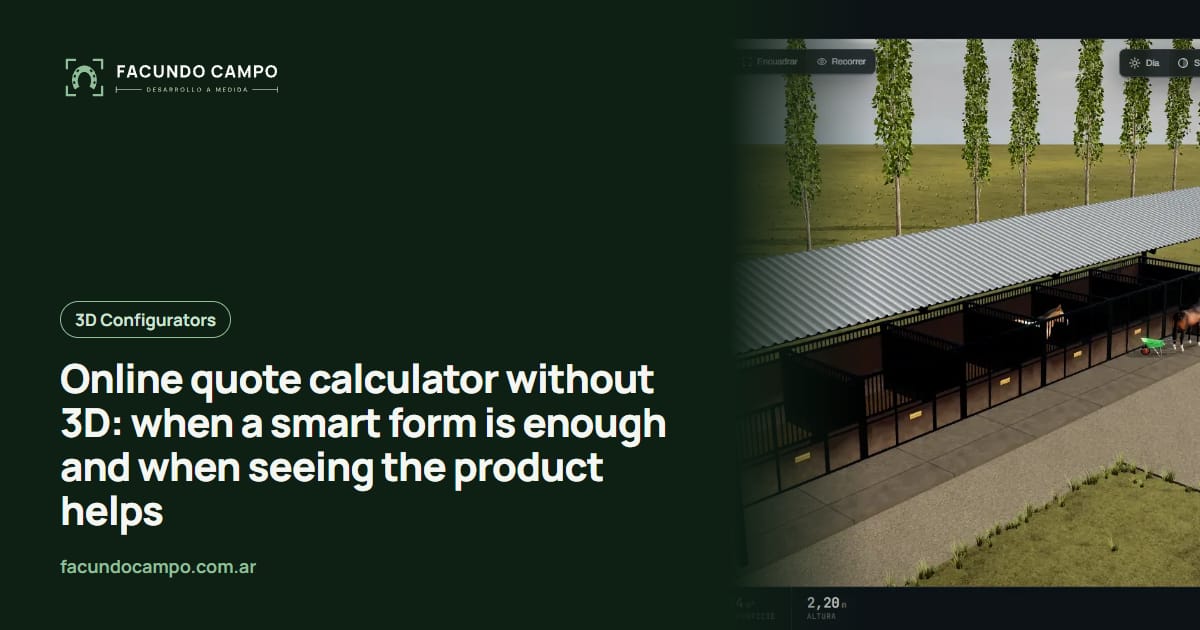
For EQUIBOX, a horse stall and barn manufacturer near Buenos Aires, 3D made sense: buyers need to see how their barn looks with the number of stalls, walls and accessories they choose. In the 3D quote tool I built, they set all of that, download the PDF spec sheet or quote, and request a price on WhatsApp. For a horse barn, seeing the result is part of deciding.
For a longer comparison of the two approaches, I wrote 3D configurator vs contact form on the Estructuras 3D blog. And to see when the jump to 3D pays off for a catalog business, read 3D configurator vs PDF catalog.
See the Equibox projectFrequently asked questions
Can a quote calculator without 3D show a price?
Yes. If your pricing follows clear rules (quantity, size, material, area), the calculator can show a ballpark figure on the spot. If you'd rather not show it, it builds the order and you reply with the quote.
If I start without 3D, can I add it later?
Yes, and it's a sensible way to start. The rules we define for the calculator (which options exist, which combinations work, which details to ask for) are the same ones a 3D configurator uses. None of that work is wasted.
Isn't that just a contact form?
No. A contact form asks “how can we help?” and leaves everything open. A quote calculator walks people through specific options, won't let them pick what you don't offer, and hands you an inquiry with everything you need to quote.
If you're not sure whether your business needs a 3D configurator or a quote calculator without 3D, tell me what you sell and how you quote today, and I'll tell you which one I'd build. Message me on WhatsApp at +54 9 11 6193-3176 or email contacto@facundocampo.com.ar; I answer in English and Spanish. More on my [services page](/en/servicios).