3D configurator for trade shows and showrooms: close the order at the booth
At a trade show or in a showroom, a 3D configurator on a tablet or a big screen lets your rep design the product with the customer, show them how it looks, and walk away with a real order and contact details instead of a business card and a promise to follow up.
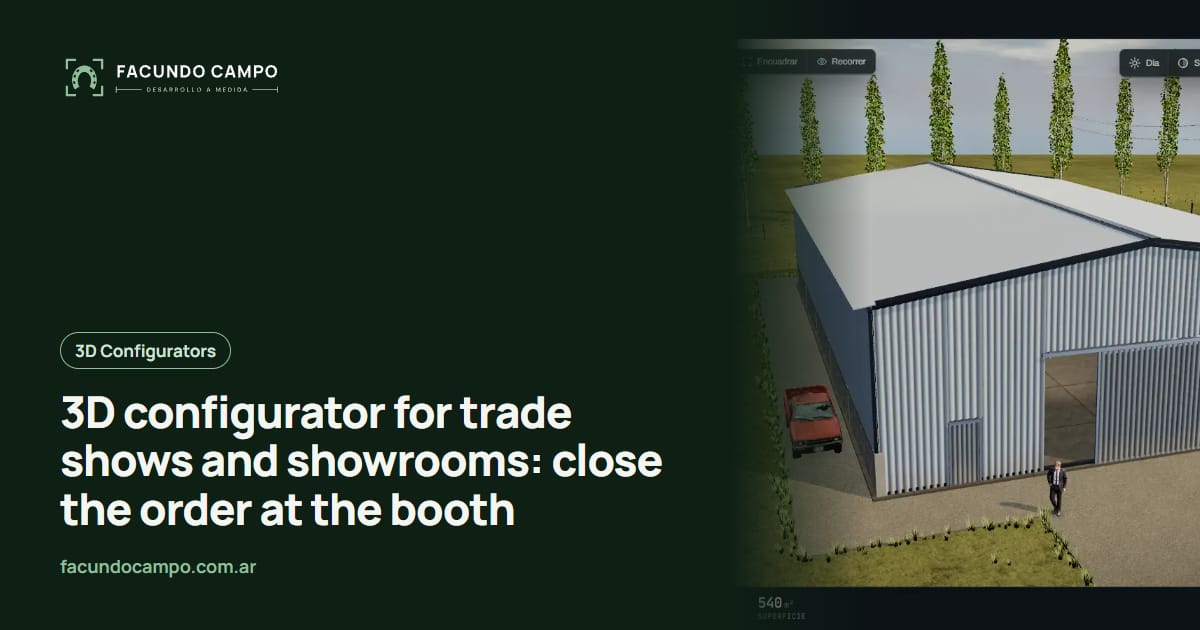
At a trade show or in a showroom, a 3D configurator lets your sales rep design the product together with the customer on a tablet or a big screen, and walk away with the order and the customer's contact details on the spot. It's the difference between coming home from a show with a stack of business cards and coming home with real orders, each one with sizes, model and the name of the person who asked.
This is for manufacturers who sell a lot face to face: farm shows, home and garden expos, building trade shows, or their own showroom. If your main worry is the spotty signal at the fairgrounds, I wrote about that in selling at shows without internet.
What happens at a booth today
A farmer walks up to your booth. They like the display building, or the stall, or the pergola, but theirs needs to be longer, with a different door, in another color. Your rep explains, hands over a brochure, scribbles notes on a pad or the back of a card, and says “I'll send you a quote next week.”
The trouble shows up later. The notes are rushed, some measurements are missing, the customer has visited plenty of other booths since, and by the time your quote arrives they can't quite remember what they asked for. The excitement that made them stop at your booth has cooled off.
Showrooms have a version of the same problem. You've got one or two models on the floor, and the customer has to imagine everything else. “Like this one, but with a different finish” is hard to picture when it isn't in front of you.
What changes with a configurator in hand
Your rep sits down with the customer and builds the product with them on the tablet. Stretch the length, move the door, try colors. The customer sees it in 3D, spins it around, weighs in, and within a few minutes you're both looking at exactly the same thing. There's no confusion about what was ordered, because it's right there on screen.
At the end, the configurator asks for the customer's name and phone number, and the order gets saved under the rep who helped them. If the customer wants, they get the PDF spec sheet on their phone right then, or you send it by WhatsApp or text before they leave the booth.
Follow-up after the show changes too. Instead of deciphering notepads, you have a tidy list of designed orders and can call the most serious buyers first.
What a booth-ready configurator needs
A configurator for your website and one for the show floor look alike, but the second one has its own demands:
- Works without a signal. Connection at many fairgrounds comes and goes. The configurator has to open and save orders anyway, then send them once the network is back.
- Sales rep mode. At the end it asks for the customer's details and records who helped them, so each rep keeps track of their own orders.
- Big buttons and a clear screen. It gets used standing up, in a noisy hall, sometimes in direct sun. No small print.
- Fast start. Customers don't wait. If the rep fumbles to open it, the conversation dies.
- An attract mode for the big screen. The product rotating on its own and cycling through options, so people wander over.
- Same destination as the website. What gets designed at the show and what comes in online end up in the same customer list.
The showroom: fewer display models, every option on screen
In a showroom, the configurator solves a space problem. You can't build every size and every color, but you can have one real unit to touch and a screen next to it where the customer sees every variation. They feel the actual finish and see in 3D how it looks at the size they need.
It also helps when a couple can't agree. Instead of arguing in the abstract, they try both versions on screen and compare. And if they leave without deciding, they take the link to their design home and keep looking.
On the Estructuras 3D blog I wrote about selling at agricultural shows and about configurators for international trade shows, in case your company exhibits abroad.
The starting point: Equibox and Estructuras 3D
The 3D quote tool I built for EQUIBOX, a horse stall and barn manufacturer near Buenos Aires, Argentina, already has the sales side a booth needs. The customer designs the barn (size, model, walls and accessories), downloads a PDF spec sheet and asks for a quote on WhatsApp, and the company's sales reps follow up from their customer system.
If you want to see how other products would look on a tablet, open Estructuras 3D, my demo with metal buildings, carports, industrial buildings, stalls and modular homes.
See the Equibox caseGetting ready before the show
The best plan is to start early enough to test it for real before the event: in your showroom, with a few customers, or at a smaller show. I work remotely from Buenos Aires, Argentina (UTC−3), with video calls and progress links you can open on the same tablet you'll bring to the booth. You send me photos, dimensions and the questions your reps always ask. I build a first version and we adjust it based on their feedback.
If your reps also visit customers in the field, the same configurator works on the road; I wrote about that in sales catalog apps for reps. I quote each project based on what your company needs.
Frequently asked questions
What if there's no signal at the show?
That's normal at farm shows and big fairgrounds. The configurator can be set up to work offline on the rep's tablet: it saves orders on the device and sends them once the signal comes back.
Do I need a tablet or a big screen?
Each one does a different job. The big screen pulls people into the booth and shows the product from a distance. The tablet is for sitting down with a customer and building their order. Many companies use one screen to attract and a tablet or two to sell.
Is it the same configurator as the one on my website?
It can be, with a rep mode that asks for customer details at the end and records who helped them. That way, show orders and website orders end up in the same place.
How far ahead of the show should I order it?
Far enough ahead to test it in a real situation first, like your showroom or with a few customers. Showing up at a big event with something nobody has used yet is risky. Tell me the date and we'll see what fits.
If there's a trade show on your calendar and you want to show up with a configurator on the tablet, message me on WhatsApp at +54 9 11 6193-3176 or email contacto@facundocampo.com.ar. Tell me the date and what you build. I answer in English and Spanish. More on [services](/en/servicios).