3D virtual tours for real estate agencies and builders: what they are and how they help sell off-plan
A 3D virtual tour shows an apartment or a house that does not exist yet: buyers walk through it on their phone, room by room, from a WhatsApp link. What it is, how it differs from a 360 tour and how builders use it to sell pre-sales.
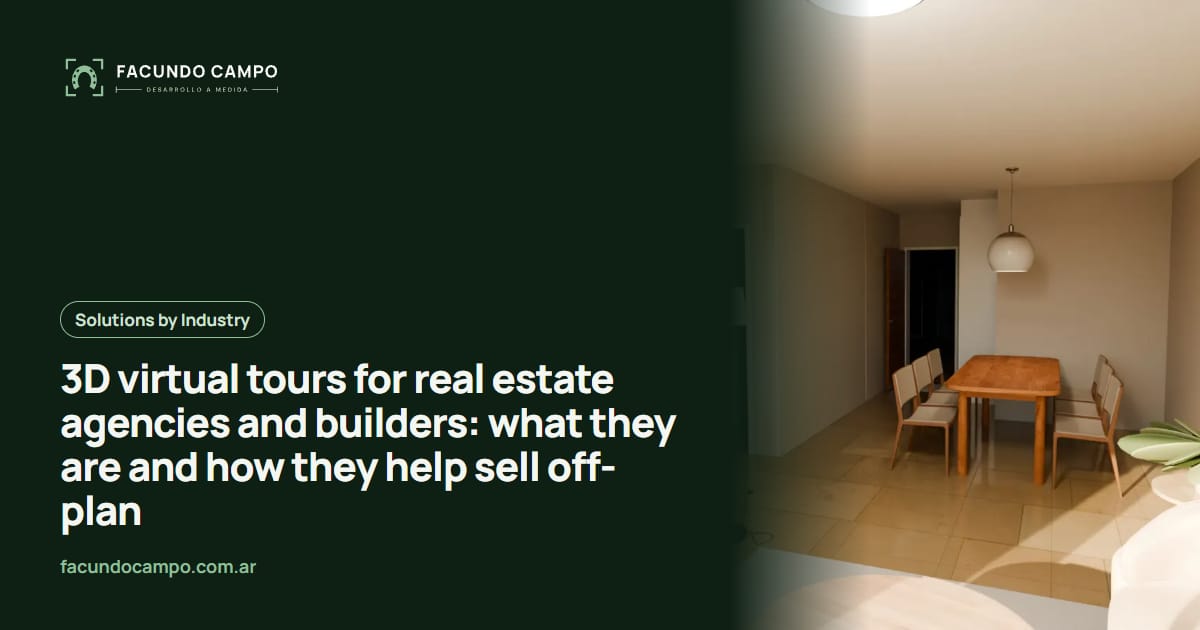
A 3D virtual tour is a way to show an apartment or a house before it exists: buyers walk through it room by room on their phone, with the scroll or a finger, furnished and with the project finishes. For a real estate agency or a builder it helps sell off-plan, because buyers understand what they are buying without reading a floor plan and reach out already knowing which unit they want.
In this article I explain exactly what it is, how it differs from a 360 tour or a render, and how the sales team uses it. The examples come from Recorrido 3D, the product I built for builders and real estate agencies in Argentina.
What does the buyer see in a 3D walkthrough?
For a building, the walkthrough starts outside: the finished building on its real block, with the neighbors, the trees and the light of the area. The buyer taps a floor and its plan appears with the furnished units, which are left, which are sold and which way each one faces. They tap a unit, see its spec sheet (rooms, area, balcony, front or back) and step inside.
Inside there is nothing to hunt for: the walkthrough takes them from the door to the living room, the kitchen, the balcony and the bedrooms, as if walking, with photorealistic images. At the end, a button sends them to WhatsApp or email to ask about that unit.
You can try it in the demo of a 12-story building in Quilmes, an unofficial working demo built from the public plans and brochure of a building on sale.
How is it different from a render, a video or a 360 tour?
| What it shows | Works off-plan | What the buyer does | |
|---|---|---|---|
| Render | A still image of a room or the façade. | Yes | Looks at the image. Does not see how rooms connect. |
| Video | A walkthrough someone else edited, start to finish. | Yes | Watches it play. Cannot pick the unit or the pace. |
| 360 tour / Matterport | Each room from a fixed point, dragged around. | Only if built from 360 renders; scanning needs the finished space. | Jumps from point to point and finds their own way. |
| Guided 3D walkthrough | The building, the floors, the chosen unit and its interior, continuously. | Yes: it starts from the plans. | Picks the floor and unit and walks through at their own pace. |
Matterport is a scanned digital twin of a space that already exists.
How does it help sell a pre-sale?
In a pre-sale the problem is rarely a lack of interest: it is that buyers cannot picture what they are buying. A 3D walkthrough works on exactly that:
- Buyers understand without reading a plan. Most people cannot read a floor plan. Walking through it, they see the size of the living room, where the table fits and what the balcony looks out on.
- Leads arrive qualified. Whoever writes has already walked through the unit and knows what they want. Agents answer fewer repeated questions and do fewer viewings that go nowhere.
- Prices are easier to defend. The view, the light and the finishes of each floor justify the price difference between units.
- You can sell remotely. An investor in another city or abroad walks through the unit from home, with the same link.
- Agents have something to send. Instead of a PDF with floor plans, they send a WhatsApp link the buyer opens on their phone.
Why one walkthrough per unit type and not per unit?
Because apartments repeat. A 40-unit building usually has three or four apartment types that repeat floor by floor. One walkthrough per type serves every floor where that type appears: 3 types, 3 walkthroughs, not 40.
That changes the math. The cost depends on how many unit types the building has, not how many units, so a photorealistic walkthrough stops being something reserved for the show unit of a large development.
What do you send and what do you get?
- Plans in PDF or DWG: the floor plan of each unit type and, if available, sections and elevations.
- Finishes or the brochure: floors, cladding, windows, colors. What the builder promises the buyer.
- Photos of the block, for a building, so the surroundings are the real ones.
- Which units are for sale and which are not, to mark availability on each floor.
- In return you get the walkthrough link, ready for the website, social media, portals and the sales team WhatsApp, plus images for the rest of your communication.
Does it work for houses too?
Yes, in a different style. For catalog houses I built a version where the paper plan rises into the furnished house, and the client walks through it with the scroll in morning, afternoon and night light. See the demo of a 35 m² house with a carport.
If you sell prefab or modular homes that buyers customize, a configurator may fit better. I compare both in 3D configurator or 3D walkthrough for prefab homes.
What if I already have a website or a showroom?
The walkthrough lives alongside whatever you already have. It is a link: it goes on each unit page of your website, inside a virtual showroom you already use, or on the portal listing. If you do not have a website for the project yet, what to build depends on how much sales management you need on screen; I cover it in virtual showroom for pre-sales: platform or custom-built?. And if you need an app or a system for the agency day to day, see apps for real estate agencies.
Frequently asked questions
What is a 3D virtual tour?
It is a way to show a house or an apartment before it exists: buyers walk through it room by room in their browser or on their phone, with the scroll or a finger, furnished and with the project finishes. It is shared as a link and nothing needs to be installed.
How is it different from a 360 virtual tour?
A 360 tour shows each room from a fixed point: the visitor drags the image around and jumps to the next point. Most are also built from photos of a place that already exists. A guided 3D walkthrough moves continuously, like walking, and starts from the plans, so it works for off-plan projects.
How much does a 3D walkthrough of a building cost?
It is quoted per project and per unit type. One walkthrough per apartment type serves every floor where that type repeats, so a 40-unit building with 3 types needs 3 walkthroughs, not 40. The cost depends on how many unit types the building has, not on how many units.
What do I need to send to get started?
The plans (PDF or DWG), the finishes or the brochure and, for a building, photos of the block. That is enough for a first draft to review with the sales team.
Can it go on the builder website or on listing portals?
Yes. The walkthrough is a web page: it can be embedded on the project website, sent over WhatsApp or email, and shared on social media and portals as a link.
If you have a pre-sale running or about to launch, send me the plans of one unit type and we will look at how it would be walked through. Quoted per project, per unit type.