POS system with inventory control: what it has to get right
A point of sale is not just a screen to charge customers: it's what keeps your inventory and cash in order. Here is what a POS for a retail store has to get right, where homemade setups fail and how I solved it in a real case.
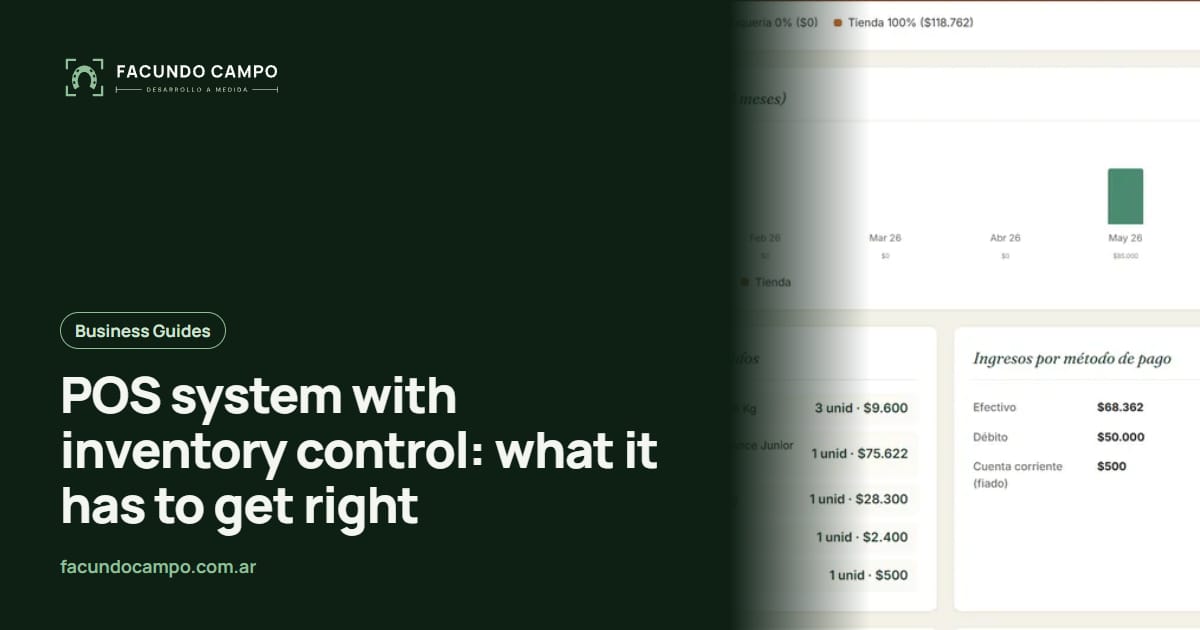
A POS system with inventory control is the software you use to ring up sales at the counter that, at the same moment, deducts what you sold from your inventory. What makes it good isn't the checkout screen but what happens behind it: every sale has to leave the stock, the cash and the customer accounts in order, even if the customer pays with two methods, leaves part of it on their tab or the sale has to be corrected later.
I'll explain what a POS for a retail store has to get right, where homemade setups fail and how I solved it in the shop at Mecohue, a pet store with a veterinary clinic in Wilde, Buenos Aires.
Why does the stock never add up with a spreadsheet?
In many stores, sales are written in a notebook or a spreadsheet, and the stock is updated "when there's time". The problem is that these are two separate records that depend on someone entering them correctly and on time. One busy day, one corrected sale or one product written down under a different name is enough for the numbers to stop matching.
That's what was happening at Mecohue before the system: daily sales had no stock control and no record of what was sold to whom. It isn't a matter of being disorganized: a spreadsheet simply can't guarantee that sales and stock move together. A system can.
What does a point of sale have to get right?
Regardless of brand or vendor, these are the things a POS for a retail store has to handle:
- Ring up sales fast. Find the product, add it and close the sale without extra screens.
- Accept several payment methods in one sale. The customer pays part in cash and part by card, or leaves a balance for later.
- Keep track of tabs. Customer accounts with the balance always up to date.
- Deduct stock on the spot. Every sale subtracts what was sold, without anyone having to remember to do it.
- Never leave anything half-done. If something fails while saving the sale, the stock must not end up deducted without the payment recorded (or the other way around).
- Allow corrections. If you picked the wrong product or quantity, edit the sale and have the stock adjust itself.
- Organize the catalog. Products with categories, brands and discounts, so you can find everything quickly.
- Leave the data ready for reports. What was sold, how much was billed and how much came in through each payment method.
What does it mean for a sale to be "all or nothing"?
When you confirm a sale, several things actually happen: the stock of each product is deducted, each payment is recorded and, if part was left on credit, the customer's account is updated. If the system does that in separate steps and something fails halfway (the connection drops, the computer freezes), you can end up with stock deducted and no sale recorded, or a payment with no sale.
In Mecohue's POS, all of that is saved as a single step: either everything is saved together, or nothing is saved and it goes back to the previous state. For the person at the register nothing changes; for the business's numbers, it changes everything.
What happens when a sale needs to be corrected?
It happens more often than you'd think: the customer swapped one bag of food for another, a quantity was entered too high or the wrong payment method was picked. In many systems, correcting means voiding and re-entering, and in homemade setups it often ends up with duplicated stock movements.
At Mecohue, editing a sale recalculates the stock incrementally: the system compares the sale before and after and moves only the difference. If you changed 2 units to 3, it deducts 1 more; it doesn't deduct all 3 again. It sounds like a detail, but it's what keeps the stock adding up after months of use.
What is Mecohue's point of sale like?
At Mecohue the POS is one of three parts of a custom platform that also includes the veterinary clinic management and the website with the catalog. The shop module has a point of sale that rings up the visit and the purchases together, with split payments (cash, card, Mercado Pago and customer account in the same sale), customer accounts with each customer's balance, stock control that deducts inventory within the same operation that records the sale, the day's register with its closing, products organized by categories and brands with discounts, and monthly reports that add the shop's sales to those of the clinic and the grooming service.
The system itself checks that the data stays consistent, and everything is backed up every day.
See the Mecohue caseNotebook, off-the-shelf POS or custom system?
All three options coexist in retail. This table helps you see where each one stands:
| Notebook or spreadsheet | Off-the-shelf POS | Custom POS | |
|---|---|---|---|
| Stock | Updated by hand, if someone remembers. | Deducted automatically, depending on the product. | Deducted automatically, with your rules. |
| Split payments | Written down however you can. | Depends on the product. | However you need it. |
| Tabs / customer accounts | In a separate notebook. | Some have it. | Built into the sale. |
| Correcting a sale | Cross it out and write it again. | Depends on the product. | The difference is recalculated. |
| Connection to other areas (services, website) | No. | Depends on integrations. | Yes, in the same system. |
| What defines the cost | Your time. | Usually a monthly fee. | Initial development, based on scope, plus maintenance. |
The cost of a custom POS depends on what else it has to connect: services, online shop, reports.
When does a custom POS make sense, and when does an off-the-shelf one?
If your store sells products and nothing else, and the way you charge is standard, an off-the-shelf POS will probably be enough, and it's cheaper to start. A custom one starts to make sense when the store is part of something bigger: when you also sell services (grooming, consultations, workshops), when you have an online shop you want to connect, or when you have your own payment rules that generic systems don't cover.
At Mecohue, that was exactly the reason: the store shares the business with a clinic and a grooming service, and they wanted to see the whole business in a single report. How to build those reports is in sales reports for your business. And if your business is a vet clinic with a shop, in management system for vet clinics and pet stores I go over all the modules.
Can it be used from a phone or tablet?
If it's designed for it, yes. A web-based POS works from any browser, so it can be used on the counter computer, on a tablet or on a phone. What matters is that the design is built for small screens, not just shrunk down.
At Mecohue, after the first rollout we saw that the system was used a lot from a phone, so I did a second design pass on the management side: tables with fixed columns you can scroll sideways, a floating menu and a filter bar that rearranges itself without breaking. Today the panel installs on the phone like an app.
What should you ask yourself before choosing a register system?
- How do your customers pay? If they often mix methods or leave a balance, the system has to support that from the start.
- How many products do you carry and how do you organize them? Categories, brands, sizes, discounts.
- What else do you sell besides products? Services, appointments, online orders.
- Who will use the system? What the person at the register needs to see isn't the same as what you need to see.
- What do you want to know at the end of the month? That defines what data each sale has to store.
Frequently asked questions
What is a point of sale (POS) system?
It's the system you use to ring up sales at the counter: you pick the products, record how the customer paid and the sale is saved. A good one also deducts the stock on the spot and leaves everything ready for reporting.
Can a single sale be paid with cash and card at the same time?
Yes, if the system supports it. In the POS I built for Mecohue, a single sale can be paid with several methods at once: cash, card, Mercado Pago and the customer's store account.
How does a system handle customers who buy on credit?
With customer accounts: each customer has a balance, and when they leave something to pay later, the system adds it to their account. That way you always know who owes you and how much.
What happens if I make a mistake in a sale?
A good POS lets you edit it and recalculates the stock based on the difference. At Mecohue, if you change a sale, the stock is adjusted without duplicating movements.
How much does a custom point of sale system cost?
It depends on what else it needs to do besides ringing up sales: customer accounts, services, an online shop, reports. Tell me how your store works over WhatsApp or email and I will send you a fixed quote within 48 hours.
If your store's stock never adds up or customer tabs are getting out of hand, tell me how you charge today, what you sell and what else your business includes. With that I'll tell you whether an off-the-shelf POS is enough or a custom one makes more sense.