3D floor planner for event venues: clients lay out the tables and see the room before the big day
A 3D floor planner lets couples, families or companies lay out tables on your venue's actual floor plan, along with the dance floor, bar and DJ, and see the room in 3D. The venue gets a final layout ready for staff, without paper sketches or last-minute changes scattered across messages.
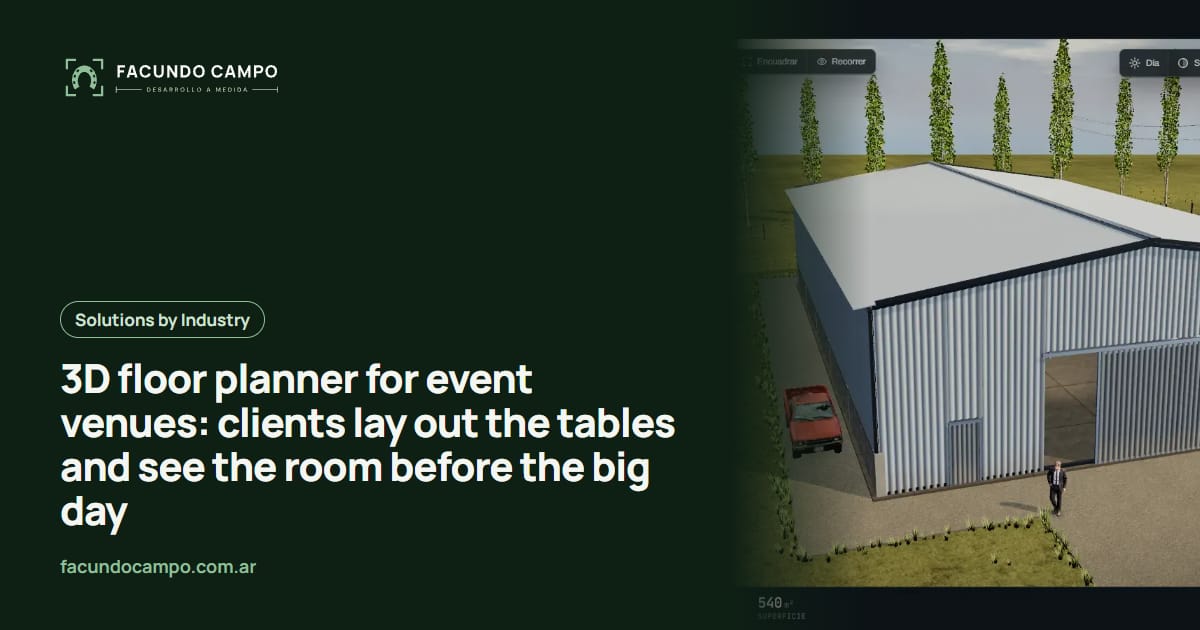
A 3D floor planner for event venues is a tool where your client lays out their event on your venue's actual floor plan: tables, dance floor, bar, DJ booth, dessert table and lounge area, then sees the room in 3D from the entrance or from their own seat. When they're done, they send you the final layout, ready for your staff to set up.
If you run a banquet hall, a wedding venue, a barn or estate that hosts events, or a space for corporate functions, you know the seating layout is one of the things that changes most between the deposit and the event. That's what this article is about.
How layouts usually come together
The typical flow goes something like this. During the tour, the client asks how many tables fit and where the dance floor goes. You show them a printed diagram or sketch one on paper. They leave with a rough picture in their head. A few weeks later you get a photo of a hand-drawn sketch, a spreadsheet of names, or a long voice message explaining that the cousins' table needs to be far from the aunts and uncles.
Then come the changes. More guests get added, round tables turn into long banquet rows, the bride wants the dance floor closer to the head table, the DJ needs more room. Every change is another message, another hand-corrected diagram, and the nagging question of whether your event manager has the latest version.
On the day, your staff sets up the room from a sheet of paper that may not match what the client had in mind.
What clients can do in the planner
Everything happens on your real floor plan, with its dimensions, columns, windows and exits:
- Pick the table types you offer (round, rectangular, long banquet rows) and drag them into place.
- Place the dance floor, stage or DJ booth, the bar, dessert table, lounge area and head table.
- See the room in 3D from the entrance, from the dance floor or seated at a table, to know what each guest will see.
- Try alternatives and compare them: banquet rows or rounds, with a lounge or without.
- Number the tables and, if you want to offer it, assign guests to each one.
- Share a link with their partner, family, wedding planner or event coordinator, who all see the exact same version.
Your venue's rules, built in
What makes a planner useful isn't the 3D furniture. It's that it respects how your venue works. You can load in the rules you currently explain out loud:
- How many tables and guests fit in each setup. - Where nothing can go: emergency exits, service corridors, the path from the kitchen. - Fixed spots: a built-in bar, the stage, the DJ's power outlets. - Minimum spacing between tables so servers can get through.
That way clients have freedom, but they can't design something your team can't serve. You skip the awkward “that won't work” conversation two weeks before the event.
What the venue gets out of it
Easier sales on the tour. Showing the room set up in 3D for the client's guest count is more convincing than a black-and-white diagram. If a company is asking, they can see a theater-style setup for a presentation and a gala dinner version side by side.
Less back-and-forth. Clients make changes themselves, on their own time, and you always see the latest version.
A clear plan for your staff. Your event manager prints or opens the final layout on a phone, with numbered tables. What gets set up is what the client approved.
Better coordination with vendors. Caterer, DJ, decorator and planner all look at the same diagram.
If your website doesn't show your venue well yet, start there; I covered it in websites for event venues. And if dates, deposits and inquiries are the bigger headache, take a look at the event venue booking system.
The same idea I already use in 3D
Moving pieces on a real floor plan, respecting dimensions and rules, and seeing the result in 3D right away is what I built in Estructuras 3D, my configurator demo for metal buildings, carports, industrial buildings, horse stalls and modular homes. It's also how the quote tool I built for EQUIBOX, a horse barn manufacturer near Buenos Aires, Argentina, works: the customer designs their barn and asks for a quote on WhatsApp. An event venue swaps the pieces, but the principle holds: the client designs, sees it, and sends you what they decided. The Estructuras 3D blog has more on the floor plan editor, which is the closest thing to a venue planner.
See Estructuras 3DHow we'd get started
I need your venue's floor plan with dimensions (if you don't have one, hand measurements and photos are fine), the table types and furniture you offer, and the rules you explain to clients today. From there I build a first version you can try on your phone and on a tablet for tours, since most of your clients will open it from their phones. I explain why in mobile-friendly 3D configurators.
I work remotely from Buenos Aires, Argentina (UTC−3), with video calls and progress links, and I answer in English and Spanish. I quote each project based on how many spaces you have and what you need.
Frequently asked questions
Does the planner know how many tables fit in my venue?
Yes, once your rules are loaded. The floor plan has real dimensions, columns and doors, and each setup can have a table and guest limit. If someone tries to go over or block an exit, the planner flags it.
Will my clients know how to use it?
It's built for people who've never used anything like it: drag tables with a finger, spin the view, done. Many venues use it on the tour first, with the client sitting next to them, then send the link so they can keep going at home.
Does it work if I have several rooms or outdoor spaces?
Yes. Each space has its own floor plan, and the client picks where to plan, or plans one for the ceremony and another for the reception. You can also show a tent and no-tent version if you offer both.
Can it connect to my venue bookings?
It can, and it makes sense: the layout gets saved with the booking for that date. If you don't have a booking system yet, you can start with the planner alone and add the rest later.
If you run a venue and want clients to plan their table layout in 3D, message me on WhatsApp at +54 9 11 6193-3176 or email contacto@facundocampo.com.ar. Tell me how many spaces you have and what kinds of events you host. More on [services](/en/servicios).