Mobile-friendly 3D configurator: why it has to work on your buyer's phone
A 3D configurator has to work well on a phone because that's where buyers open it: from a WhatsApp link, an Instagram ad or a Google search. Designing for the phone changes where the controls go, how many options show at once, and how fast the product appears.
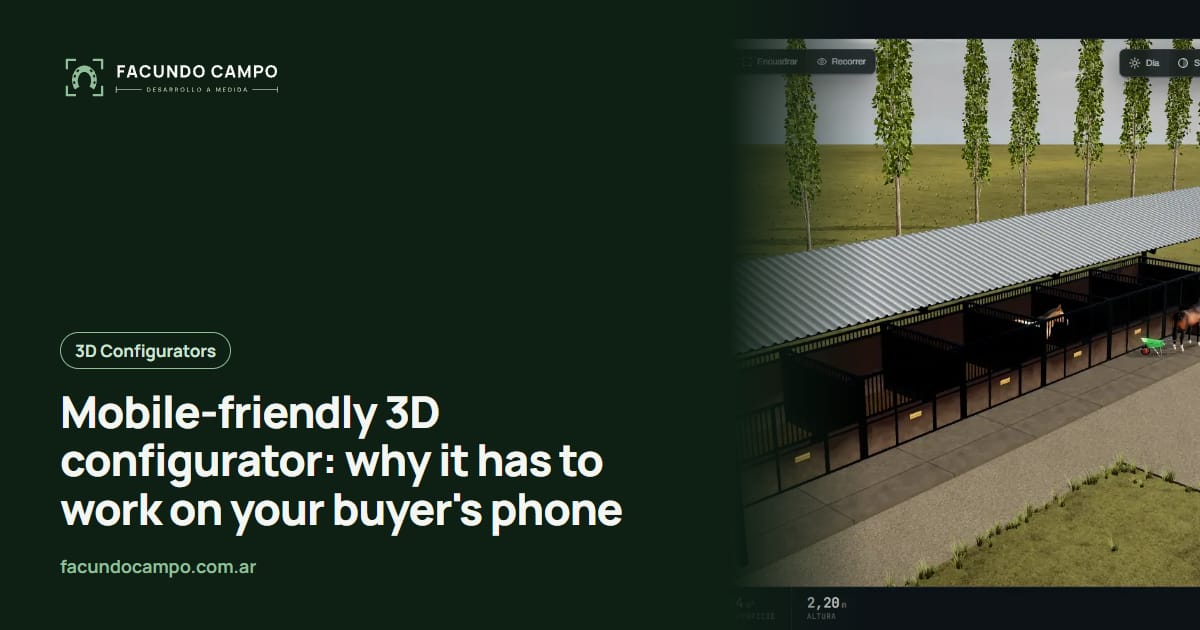
A 3D configurator has to work well on a phone because that's where your buyer opens it. They get a link on WhatsApp, see an ad on Instagram, or find you on Google from their phone. If the product doesn't show up fast on that small screen, or the controls don't make sense, they won't go find a laptop to give it another shot.
I'm not going to spend this article proving that people use their phones. Your own inbox already tells you that. Instead, here's what actually changes when a configurator is designed for the phone, and how you can check yours without any technical background.
Where your buyer is when they open it
Think about who's reaching out. The person shopping for a carport is standing on their lot, pacing off where it would go. The horse owner is looking at stalls at the barn between rides. A couple considering a modular home opens it on the couch at night and passes the phone back and forth. A purchasing manager scrolls through it on the train to work.
None of them are sitting at a desk with time to spare. They've got one hand free, distractions everywhere, and often a weak signal. The configurator has to work in that moment, not just in the meeting where the design gets approved.
What changes in the design for phones
Small decisions that, added up, separate a configurator people finish from one they abandon:
- Options sit at the bottom, within thumb reach. The 3D model takes the top of the screen, and the choices live where your thumb lands without switching hands.
- One question at a time. A desktop can show ten options at once. On a phone it works better step by step: size, then roof, then doors.
- Spin with one finger, zoom with two. The same gestures people already use on photos. No tiny rotate buttons.
- Something shows up right away. The buyer sees the product first, even a simple version, while the details finish loading. A blank screen with a spinner is an invitation to leave.
- Text you can read without zooming. Plain labels like “door on the front” instead of internal part codes.
- One big, obvious final button. “Send my design on WhatsApp” or “Download the spec sheet,” always visible, never hidden.
Sharing is half the job
On a phone, buyers do something they rarely do on a desktop: they share what they built. They send it to a business partner, a spouse, an architect, or whoever's paying. So every design should be shareable as a link, and whoever opens it should see exactly the same thing, same size and same colors, without rebuilding it.
That link helps you too. When a buyer messages you, you open their design and see their choices instead of reading a description. The Estructuras 3D blog covers this in more depth in the mobile 3D quoting tool and sharing a configuration by link.
How to check it yourself, no coding required
You don't need to know how it's built to know whether it works. Run these tests on your phone, and if you can, on an older phone someone on your team uses:
Open it from a WhatsApp or text link, not by typing the address. That's how most buyers arrive.
Use it with one hand, standing up. If you have to set the phone down to reach a button, the button is in the wrong place.
Try it on cellular data somewhere with a weak signal, not on the office Wi-Fi. Count how long it takes for the product to appear.
Build a full order and send it. Then look at what reaches you: does the message have every choice in it, or do you have to ask something?
If any of these fail, it isn't a cosmetic issue. It's a buyer walking away, and it's one of the usual mistakes when buying a 3D configurator.
Try one on your phone right now
The fastest way to get all this is to use one. Estructuras 3D is the demo I built with metal buildings, carports, industrial buildings, horse stalls and modular homes. Open it on your phone, change the size, spin the model with your finger, and watch how the options rearrange.
The quote tool I built for EQUIBOX, a horse barn manufacturer near Buenos Aires, Argentina, follows the same idea: the buyer designs their barn, downloads a PDF spec sheet and asks for a quote on WhatsApp without ever leaving their phone.
See the Equibox caseWhat about desktops?
They still matter, especially for bigger purchases. Buyers often start on the phone and, once they're serious, open it again on a computer to look closely or show it in a meeting. So the configurator adapts: on a big screen the model grows and the options can move to the side. But the priority order stays the same: phone first, everything else after.
If your sales reps also use it out in the field or at trade shows, the phone or tablet becomes their work tool. I cover that in 3D configurators for trade shows. I work remotely from Buenos Aires, Argentina (UTC−3), and I send every update as a link, precisely so you can test it on your phone from day one.
Frequently asked questions
Will a 3D configurator work on any phone?
It has to work on the phones your buyers actually carry, not just the newest models. That's why testing happens on mid-range phones with a weak signal, which is the real situation for someone opening it from a farm or a job site.
Do buyers need to download an app?
No. They tap a link and it opens in the phone's browser like any web page. Asking someone to install an app just to look at a shed or a cabinet loses most of them on step one.
Does it look the same on a phone and a computer?
The product is the same, but the screen is laid out differently. On a phone the model sits at the top and the options sit at the bottom, within thumb reach. On a computer they can go to the side.
If your configurator doesn't behave on phones, or you're about to order one, message me on WhatsApp at +54 9 11 6193-3176 or email contacto@facundocampo.com.ar and we'll look at it together. I answer in English and Spanish. More about what I do on [services](/en/servicios).