Why I built a 3D structure configurator to show manufacturers what theirs could look like
I built Estructuras 3D so a manufacturer of metal buildings, carports, homes or horse stalls can try what their own configurator would look like before ordering one. Their buyer adjusts sizes and finishes and sees the result instantly; the manufacturer gets inquiries that already include everything.
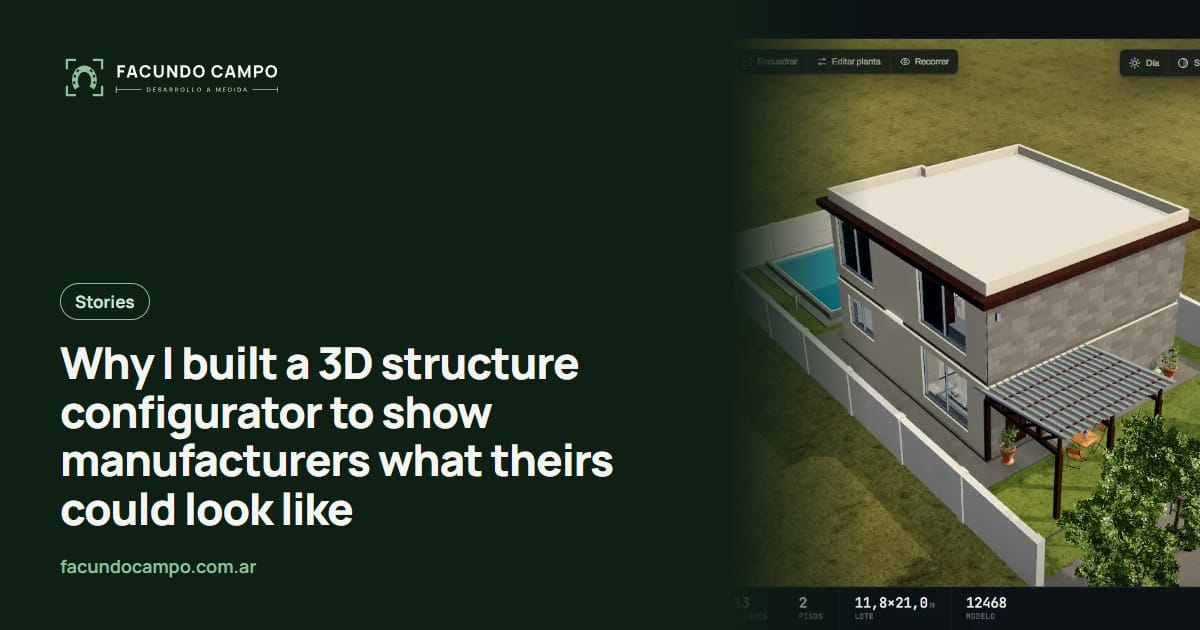
Estructuras 3D is a configurator for metal buildings, carports, prefab homes and horse stalls that I built to show manufacturers what their own could look like. It isn't sold as is. It's the most direct answer I found to the question that always comes up in a first conversation with a manufacturer: “OK, but what would it look like with what I build?”
Here's why it exists, what a buyer sees when they use it, and what it does for the company that builds the structures.
It started with a real quote tool
Before Estructuras 3D, I built the 3D quote tool for EQUIBOX, a horse stall and barn manufacturer near Buenos Aires. Their customers design their barn in 3D (size, model, walls, accessories), download a spec sheet as a PDF and request a quote on WhatsApp.
That project taught me something simple: when buyers can see what they're buying, the sales conversation changes. They stop asking “how much is a stall?” with nothing else to go on and show up with their barn already designed. The salesperson starts from something concrete. And since I ride horses on weekends, I knew firsthand what someone looks at before ordering a stall.
The problem: explaining something that doesn't exist yet
Whenever I showed the stall tool to other manufacturers, I got the same reaction: “Nice, but I build carports,” or “I build homes.” It was hard for them to picture their product inside something made for someone else.
That's the same problem they have with their own buyers. They sell made-to-order structures that the customer has to imagine from a drawing, a PDF catalog or a photo of a similar job. If I needed to show a manufacturer their product to win them over, they need the same thing to win over their buyer. That's where the idea of a demo covering several industries came from.
What the buyer sees
Estructuras 3D covers three industries. In each one, the buyer changes options and the model updates instantly:
- Metal building or carport: width, length, height and roof pitch; gable, single-slope or curved roof; open, half-height or fully enclosed walls; doors, windows and colors.
- Prefab home: the house is built by adding rooms (bedrooms, bathrooms, kitchen, living room), with an optional second floor, siding options, a porch and a pool.
- Horse stalls: number and size of stalls, layout, door style and the roof that covers them.
- In all three: front, side and top views, day and night, a walk-through view from inside, and a button to save the image and drop it into a quote.
What it does for a manufacturer
The demo has no prices on purpose, since every company prices differently. What it shows is how the sale changes once the buyer can design their own structure:
Inquiries come in with the details. Instead of “how much for a building?”, you get one with specific dimensions, a roof style and a door. I wrote about it in how a 3D configurator qualifies leads.
Your rep can show options in the same meeting. If the customer is torn between two roofs or two sizes, you switch them on the spot instead of ordering a new rendering that takes days.
The buyer understands what they're paying for. Seeing their building or home before signing builds trust and cuts down on misunderstandings later. The Estructuras 3D blog has a piece on why customers ghost your quote along those lines.
What I left out
I didn't want the demo to try to do everything. There's no cart or checkout, because a custom structure is almost never bought with one click: it gets talked through. It doesn't replace the salesperson; it gives them something concrete to show. And it doesn't carry any specific company's product list, because each real configurator is built around its owner's products.
It isn't a catalog of fixed models either. The point is that nothing stays at the default: the buyer changes sizes, materials, colors and layout until it looks like what they want.
From the demo to your own configurator
The demo is where the conversation starts. We open the industry closest to yours, you use it the way your buyer would, and we note what's different in your case: your models, your usual sizes, your finishes and what you want to receive when someone finishes designing. Then I send you a proposal.
If you want to see more industries, I've written about configurators for metal building companies and carport configurators for dealers. The full case study is on the Estructuras 3D project page, and the product's own story is in why Estructuras 3D.
Frequently asked questions
Can I buy Estructuras 3D as it is?
No. It's a demo so you can see how yours would work. Your company's configurator is built with your products, your sizes and your finishes, plus whatever your buyer needs to choose.
Why doesn't the demo show prices?
Because every manufacturer prices differently, and pricing is yours to set. In your own configurator you decide whether buyers see a price, a spec sheet of what they picked to request a quote, or both.
Does it work for products other than buildings, homes or stalls?
If what you sell is built from sizes and options, probably yes. Pergolas, cabins, windows and doors, or trailers follow the same logic. Send me a message and we'll look at your case.
Does it work on phones?
Yes. The demo runs on a phone, and so does your company's configurator, because that's where most buyers browse and where your rep shows it during a meeting.
If you build metal buildings, carports, homes, horse stalls or any other made-to-order structure and want to see what your configurator could look like, message me on WhatsApp at +54 9 11 6193-3176 or email contacto@facundocampo.com.ar. I answer in English and Spanish and quote each project separately. You can also use the [contact page](/en/contacto).