Website for equestrian centers: lessons, boarding, events and an easy way to get in touch
A good equestrian center website answers what each visitor is looking for: parents looking for lessons for their kid, the adult who wants to ride again, the owner looking to board a horse and the rider coming to a show. With an events calendar the center updates itself and one-tap contact.
A website for an equestrian center or riding club has to answer what each visitor is asking, fast: what lessons you offer and for whom, whether you board horses and what that includes, when the next show is and how to get there. When those answers are clear and the contact button is easy to find, inquiries come in on their own, with the details already filled in.
I'm a developer, and on weekends I ride as a lesson student at a club, so I know this world from inside the gate. I wrote about that in developer and horse rider. Here I'll get specific: what an equestrian center's website needs and what to avoid.
Who visits an equestrian center's website, and what they want
Your site isn't talking to just one person. These are the most common visitors and the question each one brings:
| Who's visiting | What they want to know | What wins them over |
|---|---|---|
| Parents of a kid who wants to start | Minimum age, whether it's safe, which days lessons run | Photos of kids' lessons, calm horses, instructors with names |
| An adult who wants to learn or get back in the saddle | Whether there are adult beginner lessons, evening times | Talking about levels, not just competition |
| A horse owner looking for boarding | Stall or pasture, turnout, feed, who looks after the horse | Real photos of the facilities and a clear list of services |
| A rider coming to a show or clinic | Date, schedule, how to enter, trailer access | An up-to-date calendar with everything in one place |
The boarding page: most searched, worst explained
Someone looking to board their horse wants to see where it'll live. They need to know whether it's a stall with a paddock or pasture board, how many feedings a day and of what, whether farrier visits or stall cleaning are included, and whether they can use the arena and when. On a lot of equestrian sites, all of that gets squeezed into one line: “boarding available, inquire.”
With a proper section, photos of the stalls and paddocks and each boarding option explained, the owner reaches out already knowing what they want. And if you board a lot of horses, I covered the inside part (feed, farrier, vet and billing for each horse) in horse farm management software.
An events calendar the center updates itself
Shows, clinics, open days and rain cancellations change all the time. If adding a date means calling a designer, the site is out of date within a month and the calendar ends up living only on Instagram.
That's why the site comes with its own admin panel. From a phone, someone at the center adds the event with its date, schedule and photos, and it shows up instantly. It's the same idea I built for Pérez Palermo, a painter who uploads his own work to his site, and for Boca de Lobo, a Buenos Aires steakhouse that updates its own menu.
What the site can't do without
- Lessons by age and level: beginner kids, adult beginners, jumping, dressage or whatever you teach, with days and times.
- The trial lesson: how to book it, what to wear, what happens if it rains.
- Horses and instructors: with photos and names. People trust people and animals, not a logo.
- Boarding: each option, what it includes and photos of the facilities.
- Events: an up-to-date calendar with schedules and entries.
- Directions: a map, whether trailers can get in and where to park.
- One-tap contact: a WhatsApp, text or call button with a message prefilled for that section (“Hi, I'd like to ask about a trial lesson”).
A project from the horse world
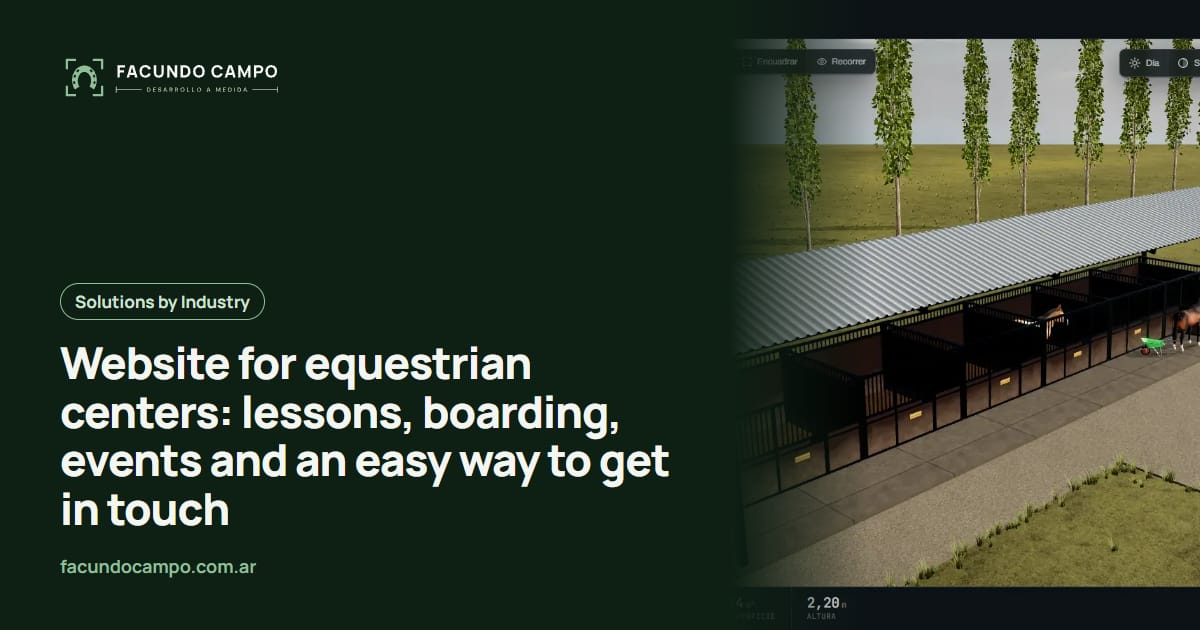
For EQUIBOX, a horse stall and stable manufacturer near Buenos Aires, I built a 3D quoting tool where the customer designs their stable (size, model, walls, accessories), downloads a PDF spec sheet and requests the quote on WhatsApp. If your center is thinking about adding stalls or rebuilding the barn, I wrote about a horse stable 3D quoting tool on the Estructuras 3D blog, from the builder's side.
See the EQUIBOX caseGetting found on Google, and how we'd build it
Lots of people search “riding lessons near me” or “horse boarding” plus their town. It helps to have a page for each activity and a complete Google Business Profile with photos and reviews. If you also run a lesson program, the website and riding school management software can share the schedule.
I work on my own, remotely from Buenos Aires, Argentina (UTC−3), with video calls and progress you can open from a link. You send photos and the basics; I build, you review, we adjust. I quote each project separately.
Frequently asked questions
Do I have to publish prices for lessons and boarding?
No. Many centers prefer to explain exactly what each lesson or boarding option includes and have inquiries arrive with the details (age, level, type of board). That way you reply with the right offer for each person.
Can I update the events calendar and news myself?
Yes. The site has an admin panel where you add events, photos, schedules and news from your phone, without depending on me. Whatever you add shows up on the site right away.
Do we need a website if we already have Instagram?
Instagram is great for day-to-day moments, but it doesn't answer the questions of someone who doesn't know you yet: times, levels, what boarding includes, how to get there. A website organizes all that and shows up on Google when someone searches for riding lessons in your area.
Can the website connect to a lesson booking system?
Yes. If you add software for your school later, the site can show open spots for a trial lesson and book it straight into the schedule. You can start with just the website and add the system down the road.
If you run an equestrian center, riding school or boarding barn and your website doesn't answer what people ask (or you don't have one yet), message me on WhatsApp at +54 9 11 6193-3176 or email contacto@facundocampo.com.ar. I answer in English and Spanish. Tell me what your center offers and I'll tell you how I'd put the site together.