Window and door configurator: size, opening, color and glass, with an order your shop can build from
A window and door configurator lets the customer define each unit (size, opening type, frame, color, glass and hardware) and see it drawn before ordering. The manufacturer gets a complete, checked list instead of loose measurements that need confirming again.
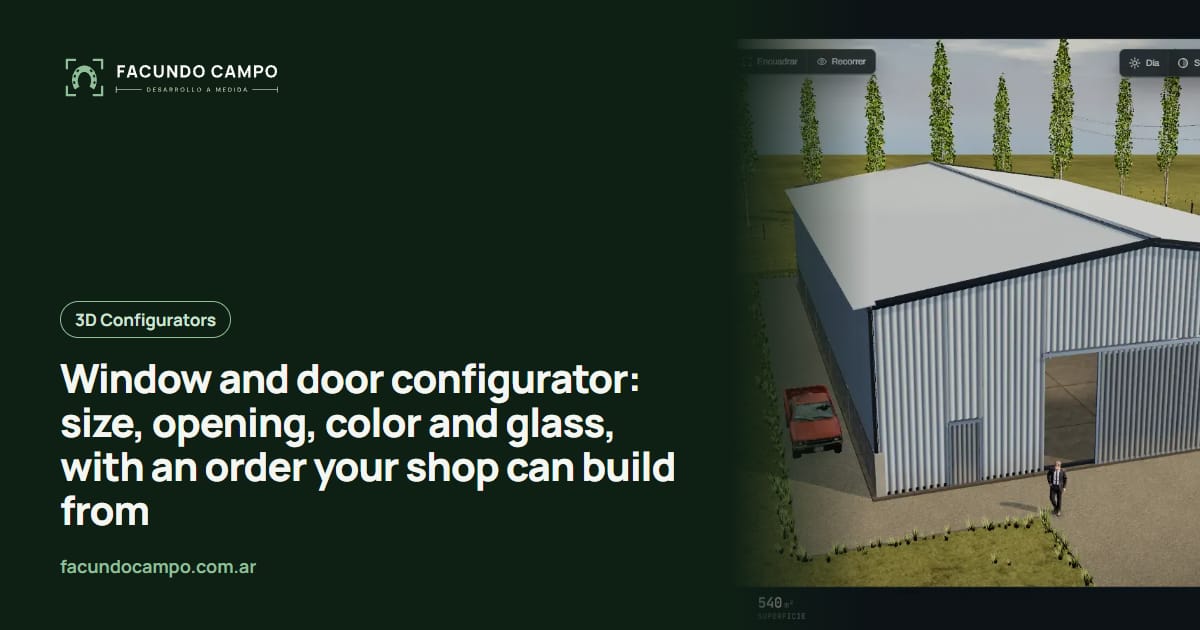
A window and door configurator is a tool on your company's website where customers build each unit: size, opening type, frame line, color, glass and hardware. They see the window drawn as they go and, at the end, send you the full list for the project, in sizes your shop can actually make.
With windows and doors, the problem usually isn't that customers don't know what they want. It's that between what they ask for and what gets built there are a lot of chances for mistakes. That's what this post is about.
Where a window order breaks down today
If you make windows and doors, you know how it goes. The customer sends a photo of a plan with sizes scribbled on it, or a voice note saying “a two-panel slider, about five feet wide”. Someone on your team types it into a spreadsheet, asks which line, which color, screens or no screens, single or double glazing, then asks again because the customer only answered half.
Every step is a hand copy, and every copy is a chance for width and height to get swapped, a color to get mixed up, or the operating panel to end up on the wrong side. You find out once the frame is already cut.
A configurator doesn't fix that by magic. It has the person who knows the job enter the details once, in a form that won't accept what can't be built, and gets those details to you without passing through more hands.
What the customer sets for each unit
The same things your sales rep asks today, in the order that makes sense to decide them:
- Type: window, patio door, entry door, fixed panel or transom.
- Operation: sliding, casement, tilt-and-turn, awning, folding or single-hung, with the hinge or handing side where it matters.
- Size: width and height, within the limits of each line and opening type.
- Frame line: the aluminum, vinyl or wood lines you make, each with one plain sentence about what it's for.
- Color and glass: frame color, single or double glazing, laminated or frosted glass.
- Extras: screens, shutters, roller blinds, security bars, handles and locks.
Seeing it drawn heads off complaints
Some window decisions sound clear in words and aren't on site. “Two-panel slider” doesn't say which panel moves; “outswing door” doesn't say left- or right-hand. When the customer sees the unit drawn, with arrows showing how it opens and the real frame color, those questions come up before the order instead of when the installer is already at the house.
It helps with looks, too. Seeing a black, white or wood-look frame against a light wall or brick means more than picking from a tiny color chip. You don't need a huge 3D scene for this: a clear front view and a simple angled view do the job for windows and doors.
The same order, with and without a configurator
| Step | Today | With a configurator |
|---|---|---|
| Sizes | Photos of plans and voice notes | Entered per unit, with limits per line |
| Operation and handing | Clarified later, if someone asks | Chosen and drawn with arrows |
| Multiple units | A list buried in a chat thread | A list sorted by room |
| What reaches the shop | A spreadsheet typed by hand | The full list, ready to quote |
Measuring on site still happens. What changes is the information your installer shows up with.
Architects, contractors and homeowners
Window and door companies usually sell to three kinds of customer at once. The homeowner doing a remodel wants to see how it looks and has no idea what low-E means; the contractor wants to enter twenty units without losing the afternoon; the architect wants to spec the exact line and send the order to the client for sign-off.
One configurator can serve all three: a guided view with short explanations, and a quick trade view where you type sizes and duplicate identical units. If you have repeat buyers, like builders or dealers, each can get their own login; I wrote about that in B2B customer portal and in 3D configurator for dealer networks.
The same idea, in a different product
I haven't built a window and door configurator yet. The closest project is EQUIBOX, a horse stall and barn manufacturer near Buenos Aires: in their 3D quote tool customers choose size, model, walls and accessories, the tool won't let them build what the factory doesn't make, and the order goes out as a PDF spec sheet and on WhatsApp so the sales team can follow up.
For how that document gets generated without typing it by hand, see automatic PDF quotes. And if you'd like to play with a configurator yourself, open Estructuras 3D, my demo for metal buildings and modular homes, whose blog also covers automatic PDF quotes for manufacturers.
See the Equibox projectHow we'd build it
I work on my own and remotely from Buenos Aires (UTC−3), with video calls and progress you can check by link. We start with your lines, their minimum and maximum sizes, the colors and glass for each, and the combinations that don't work. Your product list and a few photos of installed units are enough for a first version. I quote each project based on what your company needs.
Frequently asked questions
Can a customer order several units at once?
Yes, and that's where it pays off. They build one window, add it to the list, build the next, and send the whole project at the end with a label for each opening (“bedroom 1”, “kitchen”). What you receive looks a lot like the window schedule on the plans.
What if someone enters a size I don't make?
They can't. Each frame line has its minimums and maximums, and each opening type has its limits. The tool flags it right away and suggests splitting the unit or switching lines, the way your sales rep would.
Is it for homeowners or for contractors?
Both, with a different level of detail. A homeowner replacing one window wants to see how it'll look; a contractor wants to enter a lot of units fast. You can have a simple view and a trade view.
Does it replace measuring on site?
No. Your installer still confirms the final size. The difference is that they show up to a job where the units are already chosen and quoted, so the visit is for fine-tuning, not for starting over.
If you make windows and doors and want orders to arrive complete, without sizing mistakes, message me on WhatsApp at +54 9 11 6193-3176 or email contacto@facundocampo.com.ar. I answer in English and Spanish. More on my [services page](/en/servicios).