Modular home configurator: let families choose the model, rooms and finishes before they call
A modular home configurator lets a family choose a model, add or change rooms and try finishes while seeing the house in 3D. The builder hears from people who already know which home they want, and a 3D walkthrough covers what the configurator can't: how it feels inside.
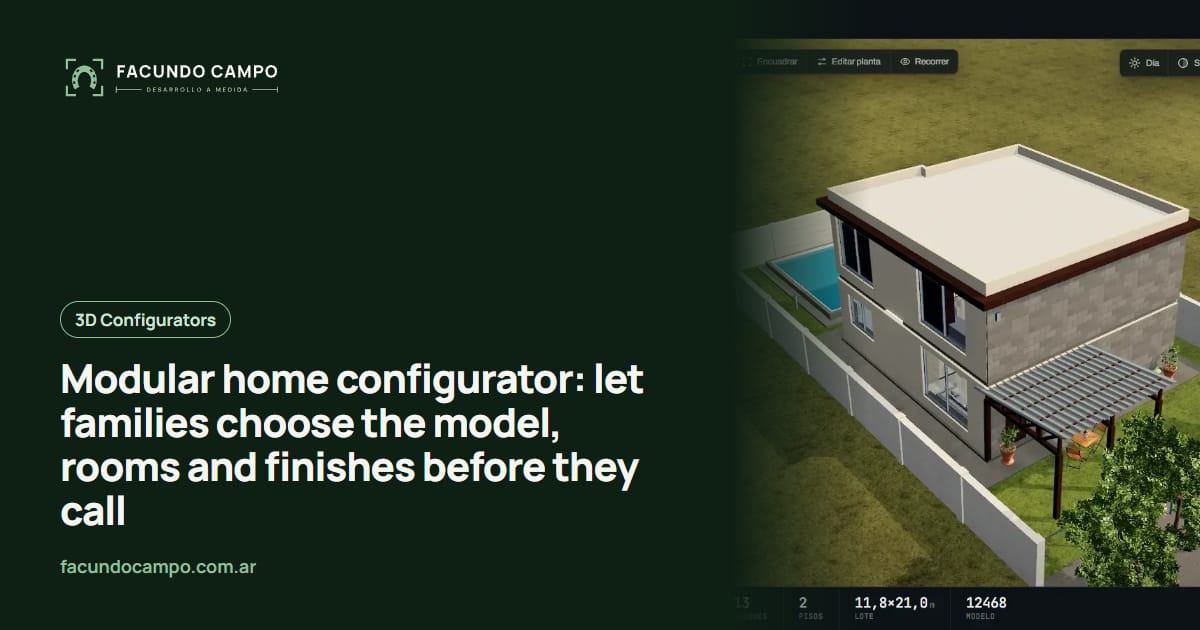
A modular home configurator is a tool on your website where a family picks a model, adds or swaps rooms and tries finishes while the house updates in 3D. When they contact you, they already know which home they want, and your sales rep starts the conversation much further along.
A house isn't a shed or a carport. For most families it's the biggest thing they'll ever buy, and that changes what you should put on the screen. Here's how I think about it, and where you can try it today.
Nobody buys a home on a Saturday whim
People shopping for a modular home browse for weeks, at night, as a couple. They compare floor plans, argue about whether they really need a third bedroom, picture where the dining table goes. There's almost always something else in play: the lot they already bought, the loan they're applying for, the in-laws' place where they're living in the meantime.
A PDF brochure with fixed floor plans and a couple of renderings doesn't give them much to work with during those weeks. A configurator lets them try things. “What if we drop the office and make the living room bigger?” stops being a question for your sales rep and becomes something they see on their phone that same night.
So when they finally reach out, it's not “what models do you have?”. It's “we want this one, with these changes.”
Three layers of choices
Grouping options keeps families from getting overwhelmed:
- The model: the starting point, with the square footage and bedroom count of each plan.
- The rooms: add a bedroom, a covered porch or an office, move the kitchen, within what your building system allows.
- The finishes: siding, roof, flooring, windows and colors. That's where it starts to feel like their house.
Configurator or 3D walkthrough?
| 3D configurator | 3D walkthrough | |
|---|---|---|
| What it's for | Choosing between versions of your models | Walking through one specific home |
| What the buyer does | Changes rooms and finishes | Moves room to room as if they were there |
| When it matters most | Comparing and picking a model | Feeling sure it's their home |
| What you get | A request with the home defined | A family more ready to sign |
What to leave off the screen
Not everything belongs in the configurator. Anything that depends on the lot (slope, orientation, access), the site work or permits is better left to your sales rep, because every case is different and an automatic answer can set the wrong expectations.
Same with combinations your building system can't handle: if a room can't be added on a certain side, it isn't offered. Families play freely within what's possible, and every request that comes in can actually be built. If you also build container homes, I wrote a separate piece on a container home configurator, and my comparison of configurators and walkthroughs for prefab homes goes deeper into the table above.
Try it in Estructuras 3D and Recorrido 3D
In Estructuras 3D, my demo for manufacturers, the home tab shows a modular house you can change and see update right away. Its blog has a prefab home 3D configurator guide with more on what you can offer.
For the next step, Recorrido 3D is my product for interactive walkthroughs that sell homes before they're built. There's an article on how to sell modular and steel frame homes before building with it.
See Estructuras 3DHow we'd work
I work on my own, remotely from Buenos Aires, Argentina (UTC−3), with video calls and progress you can open from a link. We start with your models: floor plans, dimensions, which variations you offer and which you don't. You don't need anything in 3D; plans and photos of finished homes are enough.
If you sell in the US, backyard ADUs included, I also wrote about a modular home configurator for the US.
Frequently asked questions
What should families be able to choose?
Whatever you offer as variations: the base model, rooms that can be added or swapped, porches, roof style and finishes for siding, flooring and windows. Anything that depends on the lot or a site visit comes later.
Configurator or 3D walkthrough: which do I need?
They do different jobs. The configurator helps buyers choose between versions of your models; the walkthrough lets them move through one specific home and picture living there. Plenty of builders use both: one to decide, the other to fall in love.
Should the configurator show prices?
That's up to you. Some builders show a starting figure per model, others prefer to get the finished design and quote it with a rep. The configurator works either way.
If you build modular or prefab homes and want families to reach out with their home already picked, message me on WhatsApp at +54 9 11 6193-3176 or email contacto@facundocampo.com.ar. I answer in English and Spanish and quote each project on its own. More on [services](/en/servicios).